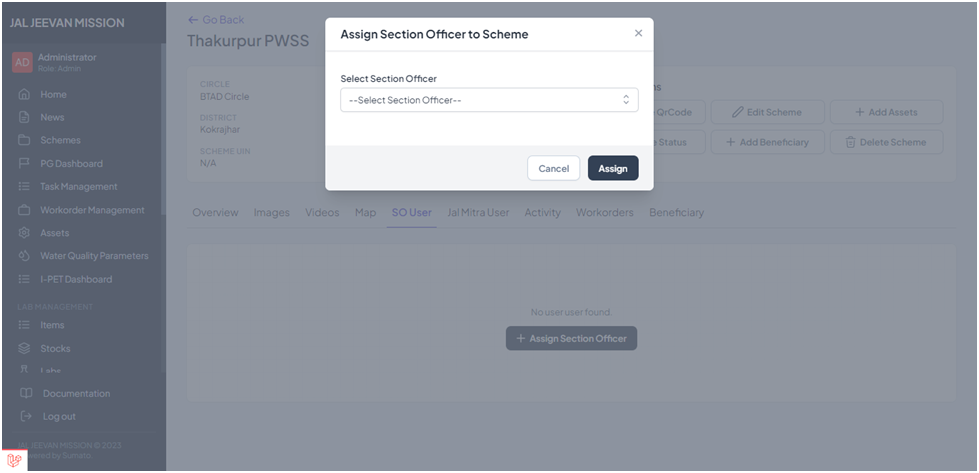
HOW TO ASSIGN A SO TO A SCHEME?
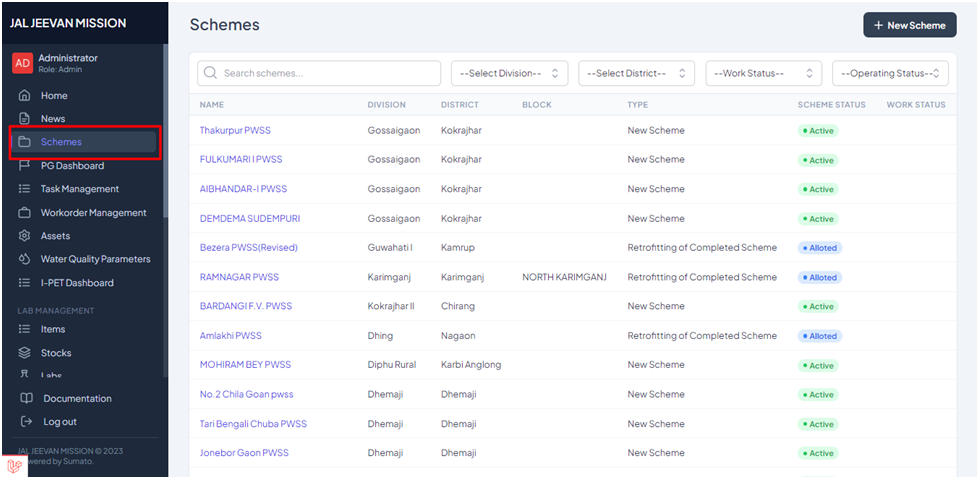
Step 1: To assign a scheme to a SO the user has to open the schemes tab as shown above and select the particular scheme to which the SO need to be assigned
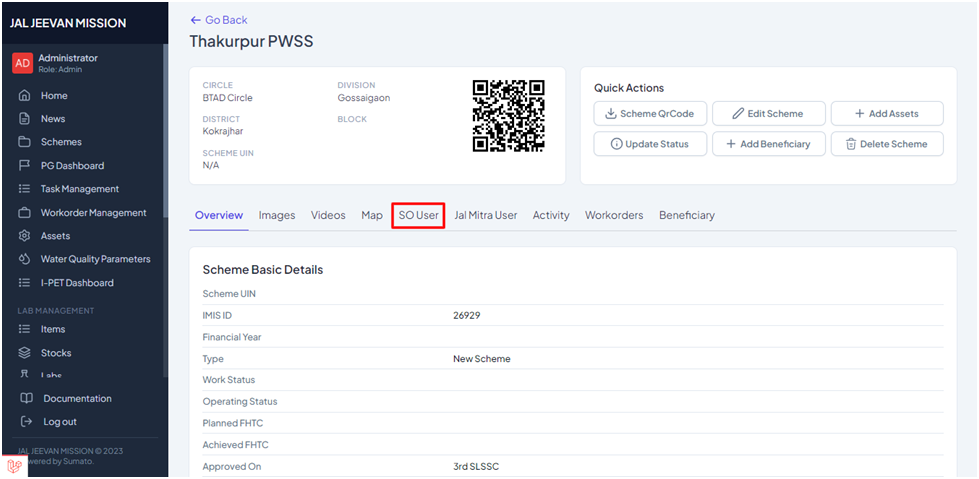
Step 2: After selecting a scheme the above page will open where the user have to select “SO User”, after which a pop-up will open where Section Officer (SO) can be assigned.